
Client Support Retainer: Scheduled Maintenance Window Pack (With AI)
Planned upgrades, migrations, and certificate renewals need a written maintenance window—not a surprise outage. Use this retainer pack: AI snapshot, Google Doc brief, Gmail sequence, rollback triggers, and post-window verification.
By DoAIWork · October 28, 2026
A support retainer pays you to keep systems healthy—not to surprise the client with downtime. When you plan work (database migration, plugin major version, DNS cutover, TLS certificate swap, firewall rule batch), you need a maintenance window playbook: written times in the client’s timezone, expected impact, rollback triggers, who approves go/no-go, and a post-window verification checklist. That is different from an urgent P1 (unplanned outage) or vendor-owned escalation (you are waiting on a third party). This pack is for scheduled change you control while the retainer is active.
If you skip the doc and rely on a Slack “we’ll do it tonight,” you inherit blame when checkout blips for twelve minutes—or when the client’s team is in a board meeting during your cutover. A one-page Maintenance Window Brief plus a short Gmail sequence keeps hours billable, boundaries clear, and the monthly review log honest.
When to use this pack (and when not to)
Use it when:
- You or the client agreed to a planned change inside retainer scope (patch Tuesday, staging→prod promotion, index rebuild).
- Downtime or degraded mode is possible but bounded (read-only mode, queue delay, brief 503).
- You need written acknowledgment before touching production.
Do not substitute this for:
- Live P1 incident response—see our urgent incident retainer pack.
- Third-party vendor timelines you do not control—see vendor escalation pack.
- Out-of-scope net-new builds—route through a change request instead.
More playbooks live under Guides.
What you will produce
- A FACT / ASSUMPTION snapshot (ChatGPT) from tickets, monitoring, and calendar notes.
- A Maintenance Window Brief (Google Doc): window start/end, impact, rollback, verification, hour policy.
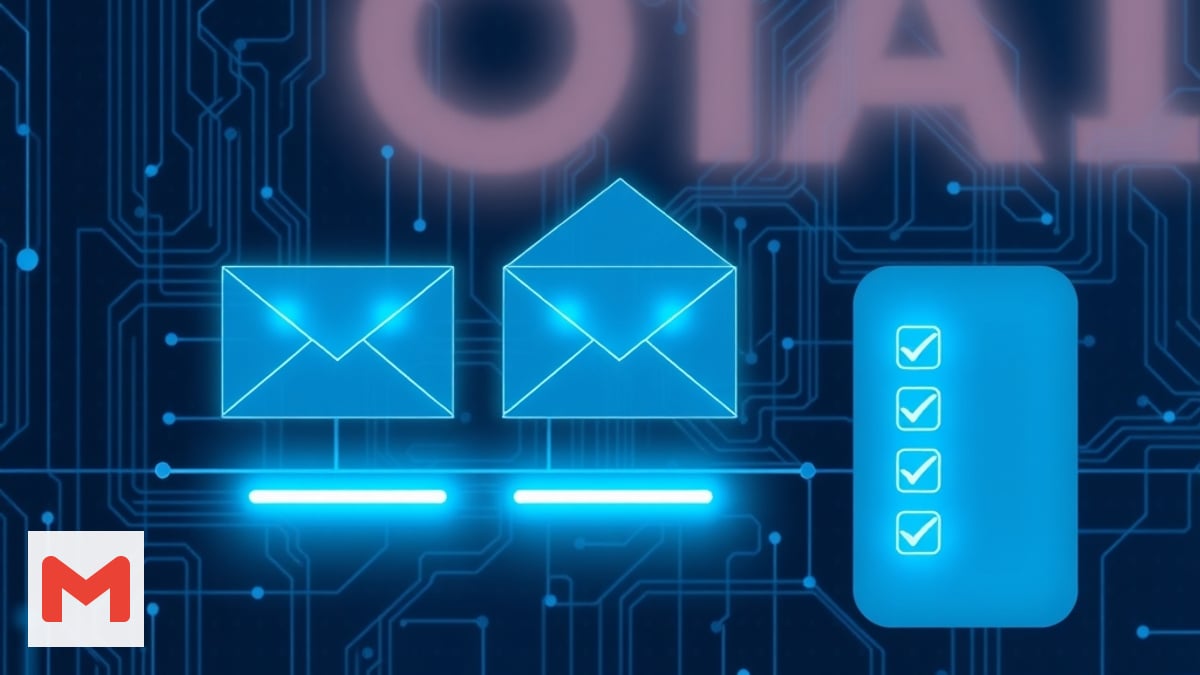
- A three-email Gmail sequence: announce → reminder → post-window all-clear (plus optional go/no-go reply).
- A monthly review log row linking the doc and actual burn.
Tools: ChatGPT, Google Docs, Gmail. No new SaaS required.
Step 1 — Snapshot the change with ChatGPT (FACT vs ASSUMPTION)
Paste a sanitized bundle: ticket text, monitoring screenshot descriptions, vendor release notes summary, and the client’s timezone. Ask ChatGPT to label each line FACT (verified) or ASSUMPTION (needs confirmation before the window).
Prompt (copy and adapt):
You are a senior SRE writing a maintenance brief for a support retainer client.

Input:
- Change: [e.g. PostgreSQL minor upgrade on prod]
- Client TZ: [America/Chicago]
- Proposed window: [date/time local + UTC]
- Known dependencies: [CDN, workers, payment webhooks]

Tasks:
1) List FACT vs ASSUMPTION for impact, duration, and rollback.
2) Draft three rollback triggers (measurable).
3) List post-window verification checks (smoke tests).
4) Flag anything that should move to a change request instead of retainer.

Tone: calm, specific, no marketing fluff.
Do not paste secrets, API keys, or personal health data. If ASSUMPTION count is high, stop and confirm with the client before scheduling.
Step 2 — Write the Maintenance Window Brief (Google Doc)
Create a doc from your retainer template (or duplicate last month’s). Sections:
| Section | Content |
|---|---|
| Summary | One sentence: what changes and why now |
| Window | Start/end in client local time + UTC; maintenance owner |
| User impact | What users see (errors, slowness, read-only banner) |
| Rollback | Three triggers + who decides + max time to revert |
| Verification | Ordered smoke tests after the window |
| Comms | Who gets Gmail; Slack/Teams mirror if applicable |
| Hours | What is included in retainer vs needs top-up/CR |
| Sign-off | Checkbox: client approves window as written |
Share comment-only until sign-off, then switch to view for the client archive link you will paste in email.
Step 3 — The flow in one view
Step 4 — Gmail sequence (paste-ready)
Email 1 — Announce (≥72h before, or your contract minimum)
Subject: [Retainer] Planned maintenance window — [system] — [local date]
Body skeleton:
Hi [Name],

We are scheduling a planned maintenance window for [system/change].

Window (your time): [start] – [end] ([timezone])
Expected impact: [plain language]
Rollback: we revert if [trigger 1/2/3]

Please review the Maintenance Window Brief and confirm approval by [deadline]:
[Google Doc link]

Included retainer hours cover [X]. Work beyond that needs [top-up/CR] per our agreement.

Reply “approved” or send questions on the doc.

Thanks,
[You]
Email 2 — Reminder (24h before)
Subject: Reminder: maintenance window tomorrow — [system]
Confirm window still valid, restate impact, ask for go/no-go if anything changed on their side (marketing launch, payroll run).
Email 3 — All-clear (within 2h after verification)
Subject: Complete: maintenance window — [system] — summary
Bullet: what shipped, verification results, any follow-up tickets, hours burned vs estimate.
If you rolled back, send a shorter variant and cross-link to your post-incident retrospective process when the client wants a formal RCA.
Step 5 — Hour policy during the window
Write this inside the doc so it is not negotiable mid-cutover:
- Included: prep snapshot, doc, comms, execution, verification within the agreed window.
- Extra: scope creep ( “while you’re in there, can you…?” ), failed rollback requiring extended night work, or third-party delays after your window ends.
When extras appear, pause work and reference your out-of-scope redirect pack or hours top-up flow—do not silently absorb a six-hour migration as “part of Tuesday.”
Step 6 — Execute, verify, log
During the window:
- Post a one-line status in the client’s agreed channel when you start and finish (mirror Gmail for auditors).
- Run the verification checklist in doc order; screenshot or log output links in the ticket.
- If a rollback trigger fires, stop feature work and revert before debugging forward.
After the window, add a row to your monthly retainer review sheet: date, change id, doc URL, planned vs actual hours, client ack on file (Y/N). That row feeds the broader monthly support retainer review cadence.
Common mistakes
- UTC-only times in the client-facing doc—always show local time first.
- No go/no-go—treat silence after reminder as not approved, not implicit yes.
- Skipping verification—“looks fine” is not a smoke test list.
- Bundling unrelated changes—one window, one rollback story; extra asks become a CR.
Quick checklist
- FACT/ASSUMPTION snapshot saved (no secrets in the prompt)
- Maintenance Window Brief shared; written approval captured
- Three Gmail messages scheduled or sent
- Verification checklist completed and linked in ticket
- Hours and doc URL logged for monthly review
Planned work deserves planned communication. This pack keeps scheduled maintenance inside retainer boundaries so emergencies stay rare—and billable when they are not.
Related guides

Send Post-Discovery Client Homework With AI (Google Forms + Gmail)
After your post-discovery recap, send a short Google Forms questionnaire—drafted with ChatGPT and delivered via Gmail—so clients confirm details in writing before you write scope.
Read guide
Send a Post-Discovery Call Recap Email With AI the Same Day
After a sales or discovery call, send a same-day recap that confirms decisions, surfaces open questions, and sets a mutual action plan—using ChatGPT, Google Docs, and Gmail.
Read guide
Build a Pre-Client Call Brief With AI in 10 Minutes (Calendly + Your Notes)
Stop winging discovery calls. Pull Calendly answers, Gmail threads, and LinkedIn snippets into one honest pre-call brief so you listen better and quote faster.
Read guide